WebGL and WebGPU browser games.
Two graphics APIs decide whether a browser game can draw at all. WebGL is roughly twenty years old and runs everywhere; WebGPU is new, much faster, and still not universal. Most entries in this index need WebGL. A small number are marked WebGPU on their game page, and those are the ones worth understanding before you spend an evening debugging a black rectangle.
Updated October 25, 2026 · 5 sections · no download required
WebGL: the default assumption
WebGL is supported by every current browser on desktop, Android and iOS. If a game in this index does not state a requirement, it is almost certainly WebGL. When a WebGL game will not start, the cause is normally hardware acceleration being off, not the API itself.
The useful diagnostic is chrome://gpu in Chrome and Edge, or about:support in Firefox. Look for WebGL and check whether the renderer is hardware or software. Software WebGL means the game runs, slowly, and no amount of patience will fix it.
WebGPU: newer, faster, narrower
WebGPU replaces the older pipeline model with one that is noticeably faster on modern hardware and better at compute-style work, which is why the more ambitious browser projects are starting to use it. The cost is support: Chromium on Windows and macOS is the reliable path, Chromium on Linux depends on the distribution, and Safari on iOS has its own level of support that changes between releases.
- Use Chrome or Edge 113 or newer on Windows or macOS.
- Confirm at chrome://gpu that WebGPU shows a hardware status rather than "Software only".
- On Linux, check whether your distribution enables it; some require a flag.
- If it is blocked, update the GPU driver before touching browser flags.
Why a WebGPU game shows a black canvas
A game built on WebGPU does not fall back to WebGL. If the API is unavailable, the canvas is simply never drawn to — a black rectangle with no error message on screen. The error is usually only in the console.
This is why the requirement is stated explicitly on the game pages in this index. If an entry says WebGPU and you are on an older browser, no amount of troubleshooting will help; the fix is a different browser or a different device.
Checking support without guessing
Open the developer console — F12 on Windows and Linux, Cmd+Option+I on macOS — and paste a one-line check. It prints whether the browser exposes the API at all, which is different from whether your GPU supports it.
For WebGL, the equivalent check is document.createElement("canvas").getContext("webgl2"), which returns null when nothing is available. A null result with a working API usually means the page is not a secure context — localhost and HTTPS only.
navigator.gpu ? 'WebGPU available' : 'No WebGPU in this browser'
What this means in 2026
For a player, the practical rule is short: treat WebGL as universal and WebGPU as something you verify first. For anyone curious about what the difference feels like, the honest answer is that on a recent discrete or integrated GPU, WebGPU builds hit higher frame rates and load large assets faster — visible mostly in the heavier 3D entries, and irrelevant in a puzzle game that draws 4×4 tiles.
The one place it genuinely changes your experience is browser ports of old 3D engines. Those are fill-rate bound in a way that WebGPU's pipeline model handles better, which is why some of the more ambitious fan projects have started targeting it.
Bottom line
Almost everything here needs WebGL, which means it works in your browser right now. The few WebGPU entries need a recent Chromium on Windows or macOS, and a driver that reports hardware support. Check before clicking, not after.
Questions about webgl and webgpu browser games
How do I check if my browser supports WebGPU?+
Open the developer console and run navigator.gpu ? "yes" : "no" in it. Alternatively, check chrome://gpu in Chrome or Edge, where WebGPU appears in the graphics feature list with a hardware or software status.
Why is a WebGPU browser game a black screen?+
A WebGPU build does not fall back to WebGL, so if the API is missing or hardware-blocked, nothing is ever drawn to the canvas. Update to a recent Chromium browser, update your graphics driver, and confirm chrome://gpu reports hardware support.
Does WebGPU make a game run faster on my phone?+
Rarely. The gains show up on desktop GPUs with real work to do — heavy 3D scenes and large asset loads. On a phone, the API itself may not be available at all, and the fill-rate limit dominates either way.
Do I need WebGL for the puzzle and merge games here?+
Almost certainly not. They render simple 2D scenes and run on every current browser. The requirement line on each game page tells you when something beyond the default is needed.
Open the game.
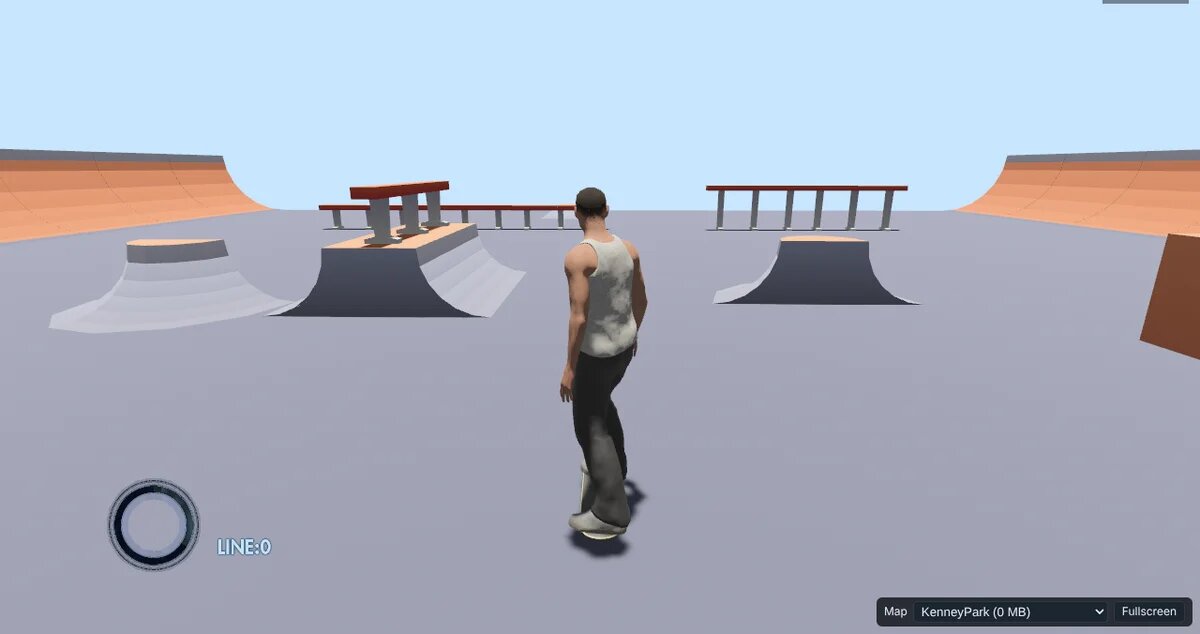
Skate 3 Fan Recreation
Skate through a community-built park in an independent WebGPU recreation, separate from the original game.
WebGPU browser

Hexa Sort
Hexa Sort is an addictive puzzle-sorting game that combines strategic matching and merging challenges.
Ready to play