How to play Quake in a browser.
Four classic id Tech games in this index are community ports of the original engines, and they all fail the same way: people load them, try to play them with modern muscle memory, and conclude the port is broken. Nothing is broken. Quake movement is keyboard-forward strafe, the default sensitivity is calibrated for a 1997 mouse, and the first match is won by people who already know those two facts.
Updated October 25, 2026 · 7 sections · no download required
The four ports, and what each one needs
All four are hosted by the same project and built the same way, so the setup advice is shared. What differs is the era of the engine and the amount of work the renderer does per frame.
None of them requires your own game files in the default deployment. If a deployment does ask for files, the entry page will say so — check the requirement line on each game page before you troubleshoot anything else.
| Entry | Engine era | What to expect |
|---|---|---|
| Quake | id Tech 1, 1996 | Lightest of the four. Single player runs anywhere. Mouse-look on a 640×480 buffer. |
| Quake II | id Tech 2, 1997 | Baked lighting, water and 3D monsters. Heavier, but still the most consistent of the set. |
| Quake III Arena | id Tech 3, 1999 | Arena maps and bots. The best of the four for pure mouse aim practice. |
| Return to Castle Wolfenstein | id Tech 3, 2001 | Heaviest build here. Expect the lowest frame rate on a laptop. |
Movement is keyboard-forward, and that is the whole trick
In Quake and its contemporaries, W moves you along the direction you are looking, not up the screen. A and D strafe sideways without changing your facing. Combined with mouse movement, this produces the strafe-jumping that made the game feel fast — speed comes from turning the mouse at exactly the right rate while you hold A or D.
Modern shooters train you to move the mouse and the direction of travel together. Quake separates them. The first ten minutes feel wrong, then the game opens up.
- Face a wall in a single-player game and hold W while turning right slowly. Your path should curve rather than shoot sideways.
- Add a held A or D and jump. This is the strafe-jump; the speed you gain is real momentum, not a visual effect.
- Never strafe and look at the same wall you are running along; in these engines you will stall.
Set your sensitivity before anything else
The default sensitivity in these ports is tuned for a mid-1990s mouse, which means it feels absurdly slow on a modern one. Most ports ship a raw m_yaw or sensitivity value with no acceleration. The fix is the same everywhere: raise it until a full arm sweep crosses roughly 180 degrees, then back off slightly.
Turn off any acceleration or smoothing option you find. In an engine with no acceleration in the original, inconsistent mouse handling is worse than high sensitivity.
If the port runs at a low internal resolution, raise browser zoom to 125% instead of changing the render size. The HUD is drawn for a small window and is unreadable at 100% on a modern display.
Weapon binds, not the default layout
Quake's default bindings put the shotgun on Shift and everything else on number keys, which is unusable once you are moving. Rebind before the first mission: primary attack, secondary attack, and use should sit on three keys you can hold without leaving WASD.
Binding jump to Space and crouch to a nearby key keeps your movement hand undisturbed. The difference between a comfortable session and a frustrating one is entirely in this menu.
| Action | Suggested bind |
|---|---|
| Primary attack | Left mouse or Ctrl |
| Secondary attack | Right mouse or Space-adjacent key |
| Use — doors, buttons | E |
| Jump | Space |
| Crouch / walk | C or Shift |
| Weapon cycle | Q and mouse wheel |
Bots before servers
Check whether the port works in single player with bots before you judge it. Bot matches prove the build, the renderer and your controls all function; community servers add networking, ports and player behaviour as variables. If a match with three bots runs smoothly at 60 fps, and a match with other people stutters, the problem is the server, not your setup.
- Start a single-player mission in Quake to test movement and light levels.
- Start a bot match in Arena or Wolfenstein to test aim and framerate.
- Only then look at public servers — and expect empty ones on a small community project.
The performance ladder
If the frame rate is low, work down this list in order. Each step is cheaper and more likely than the next.
Return to Castle Wolfenstein is the entry most likely to need steps three through five. Quake itself usually needs step one or nothing at all.
- Zoom the browser to 67–80%. This is the biggest single win and it costs nothing.
- Close every other tab, especially video and video calls.
- Confirm hardware acceleration is enabled at chrome://gpu.
- Quit full-screen browser extensions and overlays.
- Lower the operating system display scaling if you are on a high-DPI screen — a 4K desktop at 200% scaling renders more pixels than the game can afford.
Save games live in this browser only
Saves go into browser storage, which means a new browser, a new profile or a cleared cache all lose them. If you are going to play a long campaign, keep a note of where you are — or accept the risk, which is exactly what everyone did in 1997.
Clearing site data is also one of the troubleshooting steps in the browser game not loading guide, so know the trade-off before you reach for it.
Bottom line
Load it, click the canvas, raise the sensitivity, rebind the weapons, learn keyboard-forward strafe. The ports are faithful, and faithfulness is why they feel wrong for about ten minutes and then feel better than the modern games that replaced them.
Questions about how to play quake in a browser
Do the Quake browser ports need my own game files?+
Not in the default deployment of these four entries. They run in the browser without a data folder. If a deployment does prompt for files, the game page in this index states it under "Before you play", and you would need a copy of the game you own to supply.
Why does Quake feel slow and unresponsive at first?+
Two reasons, both fixable. The default mouse sensitivity is calibrated for a 1990s mouse, and the movement is keyboard-forward strafe rather than modern WASD-camera movement. Raise the sensitivity and give the strafe-jump ten minutes.
Can I play multiplayer on these browser ports?+
Arena and Wolfenstein have multiplayer support, but community servers are small and often empty. Test bots first: a bot match confirms your build, controls and framerate without adding networking variables.
How do I make these ports run faster?+
Zoom the browser to 67–80%, close other tabs, and check chrome://gpu for hardware acceleration. Return to Castle Wolfenstein is the heaviest of the four and usually needs all three. Quake itself often needs none of them.
Open the game.
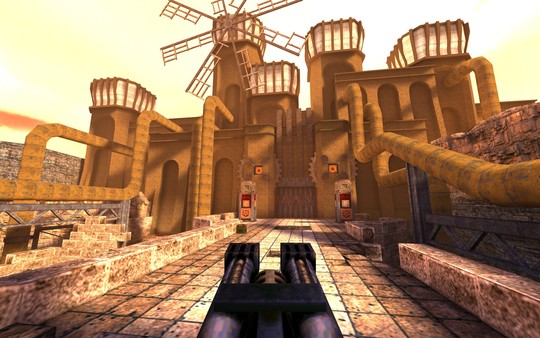
Quake
Fast arena combat through a community browser project; available content may differ from the full game.
Check project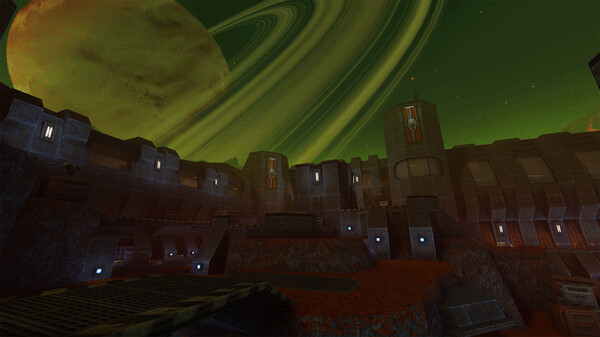
Quake II
The second Quake in a separate browser project. Check the host for current modes and files.
Check project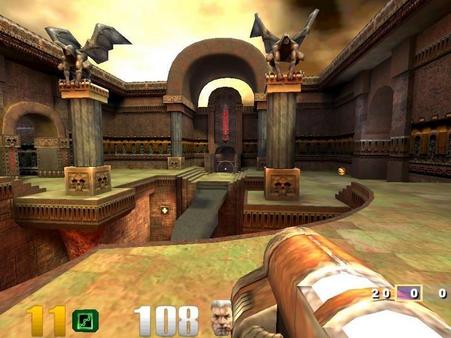
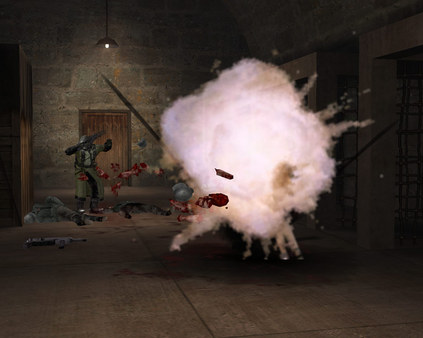
Return to Castle Wolfenstein
A browser preservation project for the Wolfenstein shooter.
Check project