Browser games to play with friends.
The useful question is not "is it multiplayer" but "how does the multiplayer work". Three answers cover almost everything in this index: one keyboard and several players, one machine with local multiplayer, or a real server that needs a room code. Each has a different setup cost, and only one of them needs anything installed.
Updated October 25, 2026 · 6 sections · no download required
One keyboard, several players
These are the easiest to arrange: open one tab, hand over the same keyboard, and split the movement keys. Nothing else is required.
Snake.io is the cleanest example — one keyboard steering two snakes — and Paper.io 2 works the same way with movement on separate halves of the keyboard. Getting Over It and Clumsy Bird both support the same arrangement with different key bindings.
- Use a keyboard with a number row; split WASD left and right rather than fighting over the same keys.
- Agree on the key split before the first round, not during it.
- A full-size keyboard makes this noticeably easier than a laptop keyboard.
One machine, local multiplayer
BasketBros, 8 Ball Billiards Classic and several of the arcade entries support local multiplayer on the same machine, sometimes with two gamepads. This is the category that works best at a party because there is nothing to connect.
Two gamepads plugged into a desktop turns several of these into a genuinely good evening. On a laptop, keyboard and mouse is usually the only input available, which limits you to the entries that split the keyboard.
Real servers and room codes
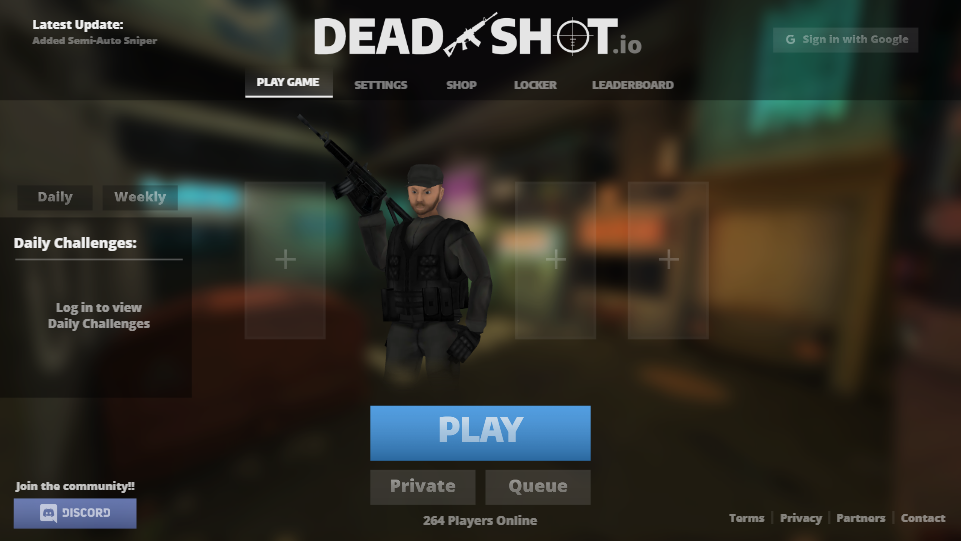
DEADSHOT.io, Kirka.io, Dead Zed and a few of the io games run on live multiplayer servers. You need an account on that service, and the quality depends entirely on how many people are online at the time — which can be anywhere from busy to completely empty.
- Create an account on the host itself; this index does not store credentials.
- Join a public match or share a room code with friends.
- Expect the servers to be quiet at odd hours; the io genre peaks in evenings and weekends.
- Check the game page for the requirement before you invite people — some entries need WebGPU or a keyboard.
The classic shooter ports are multiplayer too
Quake III Arena and Return to Castle Wolfenstein have multiplayer support, and so does Counter-Strike 1.6 through WebXash. This is the best-quality multiplayer in the index and the hardest to arrange: everyone needs a desktop, a keyboard, a mouse and a compatible browser.
Test with bots first. A bot match confirms the build works on each machine, so when you join a community server you already know the problem is not your port.
A game-night setup that actually works
- Send everyone the direct project link, not this site — the game runs on the host's domain.
- Check the requirement line on each game page first, so nobody joins expecting a touch game.
- Agree on who hosts the room code and send it in the chat, not by voice, where it gets mistyped.
- Have one fallback game queued that needs no server and no account — 2048, Minesweeper and Clumsy Bird all qualify.
- Test the whole thing 15 minutes early on the slowest connection in the group.
What to avoid for a group
- Anything that needs your own game files — the data prompt is a dead end for a guest who does not own the game.
- Anything with WebGPU on a mixed group of devices; some machines will simply not run it.
- Multiplayer entries with thin communities at odd hours; an empty server wastes the evening.
- Two-player entries that assume two gamepads when the group only has one machine with a laptop keyboard.
Bottom line
One keyboard covers Snake.io and Paper.io 2 with zero setup. One machine with two gamepads covers BasketBros and 8 Ball Billiards properly. Real servers cover DEADSHOT.io and the arena io games. Quake III Arena is the best of them all and the most work to arrange. Bring one no-server fallback and the evening works.
Questions about browser games to play with friends
Which browser games can I play with friends on the same keyboard?+
Snake.io and Paper.io 2 are the cleanest examples — two players split the movement keys on one keyboard. Getting Over It and Clumsy Bird also support separate key bindings.
Do any browser games here support controllers?+
A few arcade entries support two gamepads for local multiplayer, which makes them work well on one machine. Check each game page's device line; most entries are keyboard, mouse or touch only.
Is multiplayer free in these browser games?+
Usually. Server-based multiplayer is free but requires an account on the host service itself. Local multiplayer on one keyboard needs no account and no download at all.
What is the best browser game for a group with mixed devices?+
Host one keyboard game on one machine — Snake.io or Paper.io 2 — and keep a no-server puzzle like 2048 or Minesweeper as the fallback for anyone whose device cannot run the main game.
Open the game.


8 Ball Billiards Classic
Line up shots in classic pool against the computer or a friend.
Ready to play