Screw Out: Bolts and Nuts.
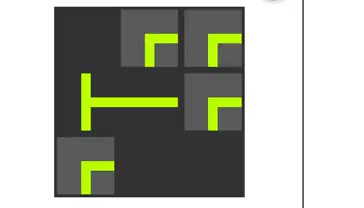
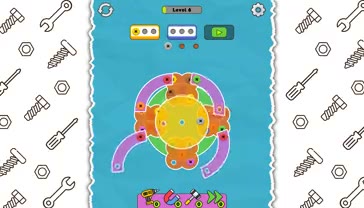
Screw Out: Bolts and Nuts is a classic puzzle logic game where your goal is to unscrew bolts from various shapes and…
- Genre
- Puzzle
- Before you open
- Ready to play
- Typical session
- 3 to 15 minutes
- Difficulty
- low to medium
- Devices
- desktop, tablet and phone
- Hosted by
- CrazyGames
Quick answers about Screw Out: Bolts and Nuts
- Can I play Screw Out: Bolts and Nuts in a browser?
- Yes. Screw Out: Bolts and Nuts opens in a browser tab with no download and no install.
- Do I need to download anything?
- No. No installer, no plugin, no account — just CrazyGames in a tab.
- Does it work on a phone?
- Yes, it plays on a phone or tablet. Rotate to landscape for anything with horizontal movement.
- How long does a session last?
- 3 to 15 minutes. Difficulty: low to medium.
What is Screw Out: Bolts and Nuts?
This is the Screw Out: Bolts and Nuts entry: a puzzle game from the fresh picks collection. Screw Out: Bolts and Nuts is a classic puzzle logic game where your goal is to unscrew bolts from various shapes and… Nothing to install, nothing to upload — the details are below, along with the controls, the setup steps and the fixes for the three things that usually go wrong.
Hosted on CrazyGames: the game runs inside that portal's player, so expect ad slots around it and a frame rather than a full tab.
Puzzle entries are the easiest to open and the hardest to put down. Closest to Screw Out: Bolts and Nuts by setup and browser requirements: Game Cafe Escape, The World's Hardest Game, Color Match — each has its own page with the same three answers.
What do you need before playing Screw Out: Bolts and Nuts?
Nothing to install, nothing to upload. This one opens straight into gameplay.
How to set it up
- Open Screw Out: Bolts and Nuts on CrazyGames in a desktop browser — or a phone, since this entry works with touch controls.
- Click once on the game area so keyboard input is captured.
- Click once on the game area so it captures your keyboard and mouse — browsers do not send key events to an unfocused page.
- Play Screw Out: Bolts and Nuts. Progress, settings and saves are stored in this browser only, so clearing site data resets them.
How do you play Screw Out: Bolts and Nuts in a browser?
- Use undo rather than restarting when a move clearly ruins the position.
- Open the game and let the board load — puzzle entries are the fastest to start in this index.
- Finish one level, then look for the next: most of these games never end.
Work the board in short deliberate passes rather than tapping fast. More puzzle games ↗
What are the Screw Out: Bolts and Nuts controls?
| Input | Action |
|---|---|
| Long press / right click | Clear or swap a group |
| Drag | Move a piece or slide a row |
| Arrow keys or WASD | Move the active piece, cursor or selection |
| F | Toggle the hint or shuffle button |
On a phone this game usually swaps these for on-screen touch controls — tap, swipe or hold. Rotate to landscape if the movement is horizontal.
How do you get better at Screw Out: Bolts and Nuts?
- Check the requirement on this page before you click — Screw Out: Bolts and Nuts is marked "Ready to play".
- Progress in Screw Out: Bolts and Nuts is stored in this browser only, so clearing site data for CrazyGames resets it.
- CrazyGames serves Screw Out: Bolts and Nuts; if that link ever goes dead, the project usually reappears under a new address.
- If Screw Out: Bolts and Nuts is not the right fit, the puzzle hub lists the 45 entries in this section side by side.
- Undo is the strongest tool in a puzzle game — use it instead of restarting.
- Keep the largest free area in one corner instead of spreading tiles evenly.
Why won't Screw Out: Bolts and Nuts load?
| Symptom | What it means |
|---|---|
| The keyboard does nothing in Screw Out: Bolts and Nuts | The page has focus, not the game. Click the canvas itself once — the surrounding text, banners and scroll area do not forward key events to the game. |
| Screw Out: Bolts and Nuts shows a black screen after a few seconds | Usually shader compilation on the first visit of Screw Out: Bolts and Nuts. Give it 20 seconds; the second load is always faster than the first. |
| Screw Out: Bolts and Nuts runs slow and choppy | Browser games are fill-rate bound. Zoom the browser to 67–80%, close the other tabs competing for the GPU, and check chrome://gpu for hardware acceleration. |
| Screw Out: Bolts and Nuts still will not start | Open the link on another device or network. If it runs there, the problem is local to your browser or machine, not to the project hosting it. |
The full ordered list of fixes, including pointer lock, browser choice and site data, is in the browser game not loading guide.
Questions about Screw Out: Bolts and Nuts
Do I need to download anything to play Screw Out: Bolts and Nuts?+
No. Screw Out: Bolts and Nuts opens as a web page on CrazyGames and asks for no installer, no plugin and no account. It is ad-supported, which is how the portal keeps it free. The only thing between you and gameplay is a browser tab.
What does Screw Out: Bolts and Nuts need before you open it?+
Nothing to install, nothing to upload. This one opens straight into gameplay.
Can I play Screw Out: Bolts and Nuts on a phone?+
Yes. Screw Out: Bolts and Nuts is a puzzle entry, and puzzle games in this index generally work on a phone or tablet. Rotate to landscape for anything with horizontal movement, and keep the tab in the foreground so the browser does not throttle it.
Is Screw Out: Bolts and Nuts the original game or a remake?+
CrazyGames hosts it, and that page is where you find out whether it is a port of, a remake of, or a completely separate browser game. Nothing is bundled or downloaded for you; you play on the host's page, and no game files pass through this site.