Getaway Shootout.
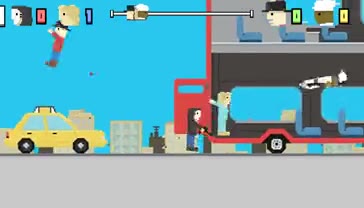
Race to the escape point with deliberately chaotic movement.
- Genre
- Action
- Before you open
- Ready to play
- Typical session
- 2 to 10 minutes
- Difficulty
- low
- Devices
- desktop, tablet and phone
- Hosted by
- CrazyGames
Quick answers about Getaway Shootout
- Can I play Getaway Shootout in a browser?
- Yes. Getaway Shootout opens in a browser tab with no download and no install.
- Do I need to download anything?
- No. No installer, no plugin, no account — just CrazyGames in a tab.
- Does it work on a phone?
- Not really — this one wants a keyboard and a mouse.
- How long does a session last?
- 2 to 10 minutes. Difficulty: low.
What is Getaway Shootout?
Getaway Shootout is a action entry in this index, listed under action games and the browser pick collection. Race to the escape point with deliberately chaotic movement. It opens straight into the game with nothing to install and nothing to upload.
Hosted on CrazyGames: the game runs inside that portal's player, so expect ad slots around it and a frame rather than a full tab.
Action games in the browser are usually arcade-lite: ragdoll physics, one-button aiming, or a score chase that ends in a single run. Closest to Getaway Shootout by setup and browser requirements: Snake.io, Bank Heist, Ninja Hands — each has its own page with the same three answers.
What do you need before playing Getaway Shootout?
Nothing to install, nothing to upload. This one opens straight into gameplay.
How to set it up
- Open Getaway Shootout on CrazyGames in a desktop browser.
- Wait for the loading bar or the title screen to appear.
- Click once on the game area so it captures your keyboard and mouse — browsers do not send key events to an unfocused page.
- Play Getaway Shootout. Progress, settings and saves are stored in this browser only, so clearing site data resets them.
How do you play Getaway Shootout in a browser?
- If input drops frames, close anything running video in another tab.
- Watch a run first; most action games telegraph what killed you.
- Check the leaderboard or score screen to see what a good run looks like.
The loop is short and the score is the point. More action games ↗
What are the Getaway Shootout controls?
| Input | Action |
|---|---|
| Long press | Charge a heavy action |
| Right click or Shift | Slow down, block or switch stance |
| Click, tap or Space | Primary action — jump, shoot or throw |
| Esc | Pause |
This one expects a keyboard and mouse. Most browser ports will not send keyboard events until you click the game area once, and mouse-look will not start until the pointer locks.
How do you get better at Getaway Shootout?
- Check the requirement on this page before you click — Getaway Shootout is marked "Ready to play".
- Progress in Getaway Shootout is stored in this browser only, so clearing site data for CrazyGames resets it.
- CrazyGames serves Getaway Shootout; if that link ever goes dead, the project usually reappears under a new address.
- If Getaway Shootout is not the right fit, the action hub lists the 24 entries in this section side by side.
- Short runs are the point — restart immediately instead of replaying a bad attempt.
- Physics-driven entries benefit from a steady framerate more than from a powerful GPU.
Why won't Getaway Shootout load?
| Symptom | What it means |
|---|---|
| The keyboard does nothing in Getaway Shootout | The page has focus, not the game. Click the canvas itself once — the surrounding text, banners and scroll area do not forward key events to the game. |
| Getaway Shootout shows a black screen after a few seconds | Usually shader compilation on the first visit of Getaway Shootout. Give it 20 seconds; the second load is always faster than the first. |
| Getaway Shootout runs slow and choppy | Browser games are fill-rate bound. Zoom the browser to 67–80%, close the other tabs competing for the GPU, and check chrome://gpu for hardware acceleration. |
| Getaway Shootout still will not start | Open the link on another device or network. If it runs there, the problem is local to your browser or machine, not to the project hosting it. |
The full ordered list of fixes, including pointer lock, browser choice and site data, is in the browser game not loading guide.
Questions about Getaway Shootout
Do I need to download anything to play Getaway Shootout?+
No. Getaway Shootout opens as a web page on CrazyGames and asks for no installer, no plugin and no account. It is ad-supported, which is how the portal keeps it free. The only thing between you and gameplay is a browser tab.
What does Getaway Shootout need before you open it?+
Nothing to install, nothing to upload. This one opens straight into gameplay.
Can I play Getaway Shootout on a phone?+
Not comfortably. Getaway Shootout is a action entry and it wants a keyboard and a mouse — the controls assume more than one hand on a desk. You can still open the link on a phone to see whether the project offers touch controls, but expect it to be unplayable rather than awkward.
Is Getaway Shootout the original game or a remake?+
CrazyGames hosts it, and that page is where you find out whether it is a port of, a remake of, or a completely separate browser game. Nothing is bundled or downloaded for you; you play on the host's page, and no game files pass through this site.